

Download ColorNote – to-do list, note-taking app, productivity tool, task manager, calendar integration, reminder app, color-coded notes, sticky notes, offline notes, voice-to-text
Overview
ColorNote is a versatile desktop and mobile productivity tool designed to help users regain control over their daily tasks and responsibilities. At its core, the software functions as a digital notepad and task manager, enabling individuals to organize to-do lists, create detailed notes, and manage reminders efficiently. Whether used for personal scheduling, academic planning, or professional work, ColorNote supports users in maintaining a structured workflow.
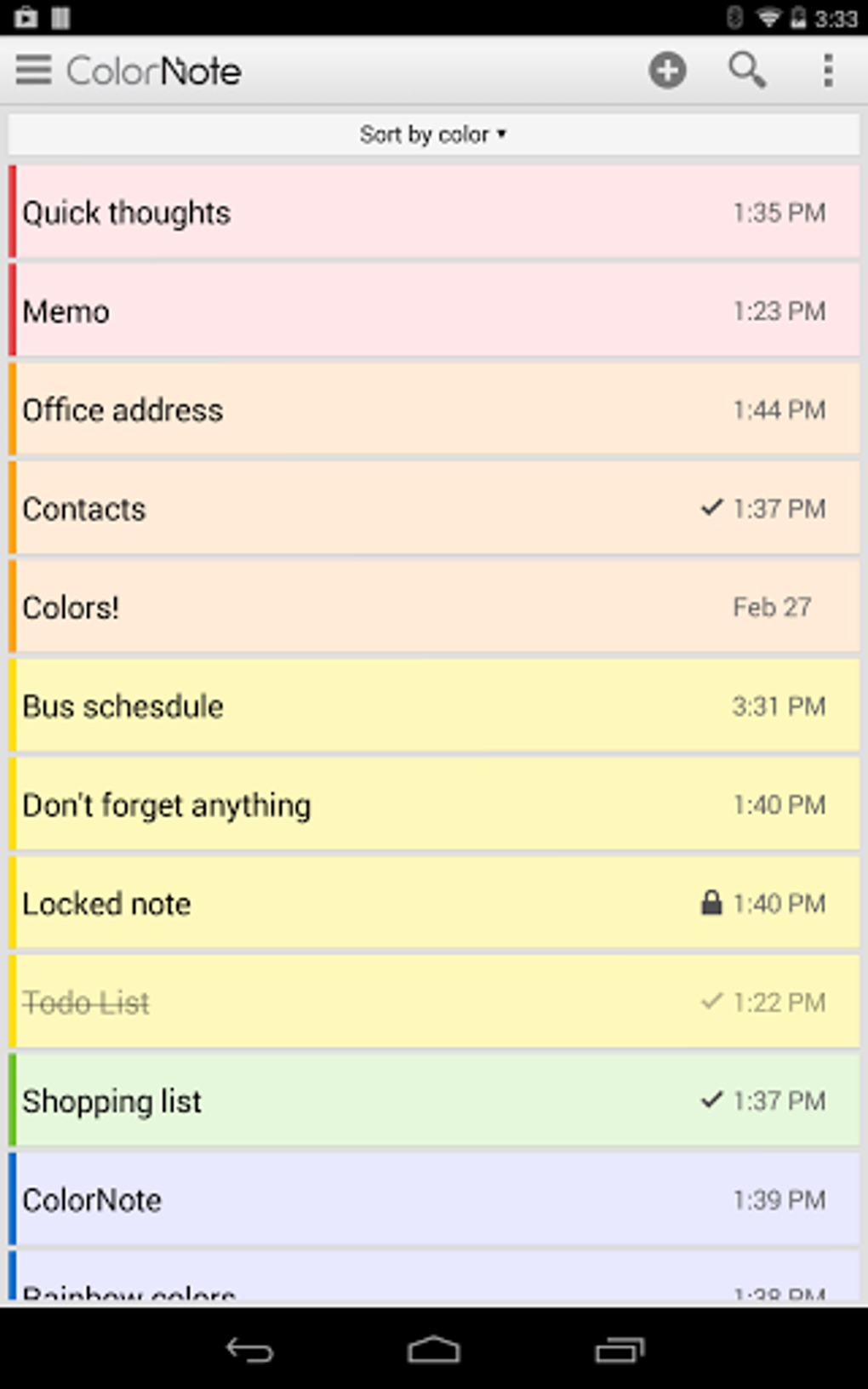
The application allows for color-coded organization, letting users categorize notes by urgency or theme through customizable sticky note colors and fonts. This visual approach enhances quick recognition and prioritization of tasks. The software is particularly suited for professionals, students, and individuals managing complex schedules across multiple platforms.
With built-in calendar integration and reminder systems, ColorNote ensures that critical deadlines and appointments remain top of mind. Its compatibility with both Windows and Mac systems makes it accessible to a broad user base. The developer did not provide additional system requirements.
Key Features & Capabilities
- Color-Coded Note Management – Users can assign different colors to notes based on priority, topic, or project, improving visual clarity and task organization.
- Task and Reminder System – Set daily, hourly, or weekly reminders via the status bar to ensure no important task is overlooked.
- Offline Access and Sync – Notes can be accessed and edited without an internet connection, with optional backup and sync across devices for data protection.
- Flexible View Modes – Switch between grid and list views to suit personal preferences and improve navigation efficiency.
- Voice-to-Text Integration – With the optional ColorDict add-on, users can dictate notes and tasks, enhancing accessibility and speed of input.
- Calendar and Messaging Integration – Seamlessly connect with calendars and messaging platforms to link tasks to events and communications.
- Customizable Layouts – Adjust screen layouts, note sizes, and fonts to personalize the workspace for optimal usability.
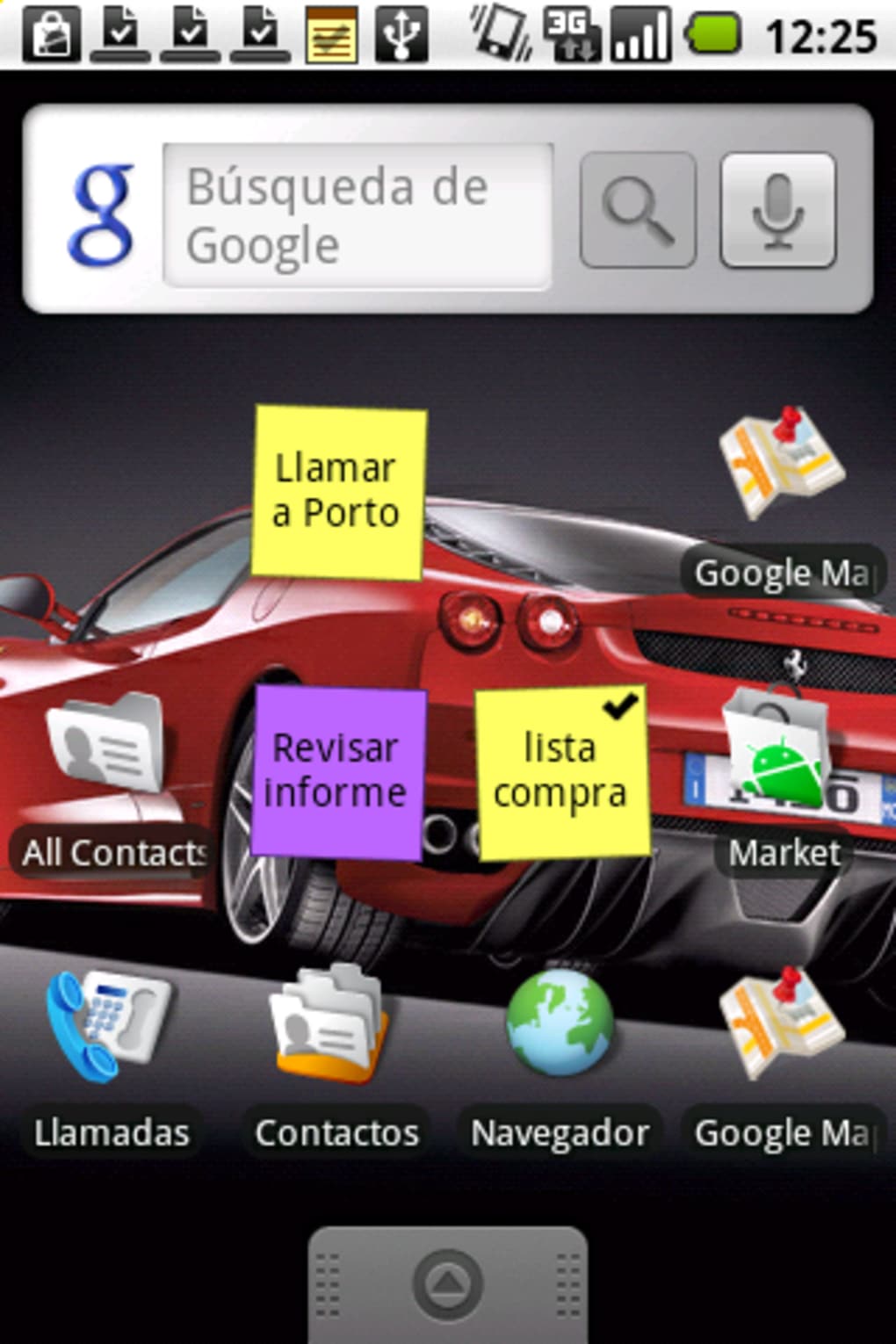
- Sticky Note Widget – Pin urgent notes to the home screen for immediate visibility, ideal for time-sensitive tasks.
User Interface, Workflow & Performance
ColorNote features a clean, intuitive interface that mirrors the look and feel of physical sticky notes, promoting ease of use across all user levels. Navigation is straightforward, with a central workspace that displays notes in either grid or list format, depending on user preference. The ability to resize, reposition, and color-code notes enhances workflow efficiency, allowing users to prioritize and visualize their tasks at a glance.
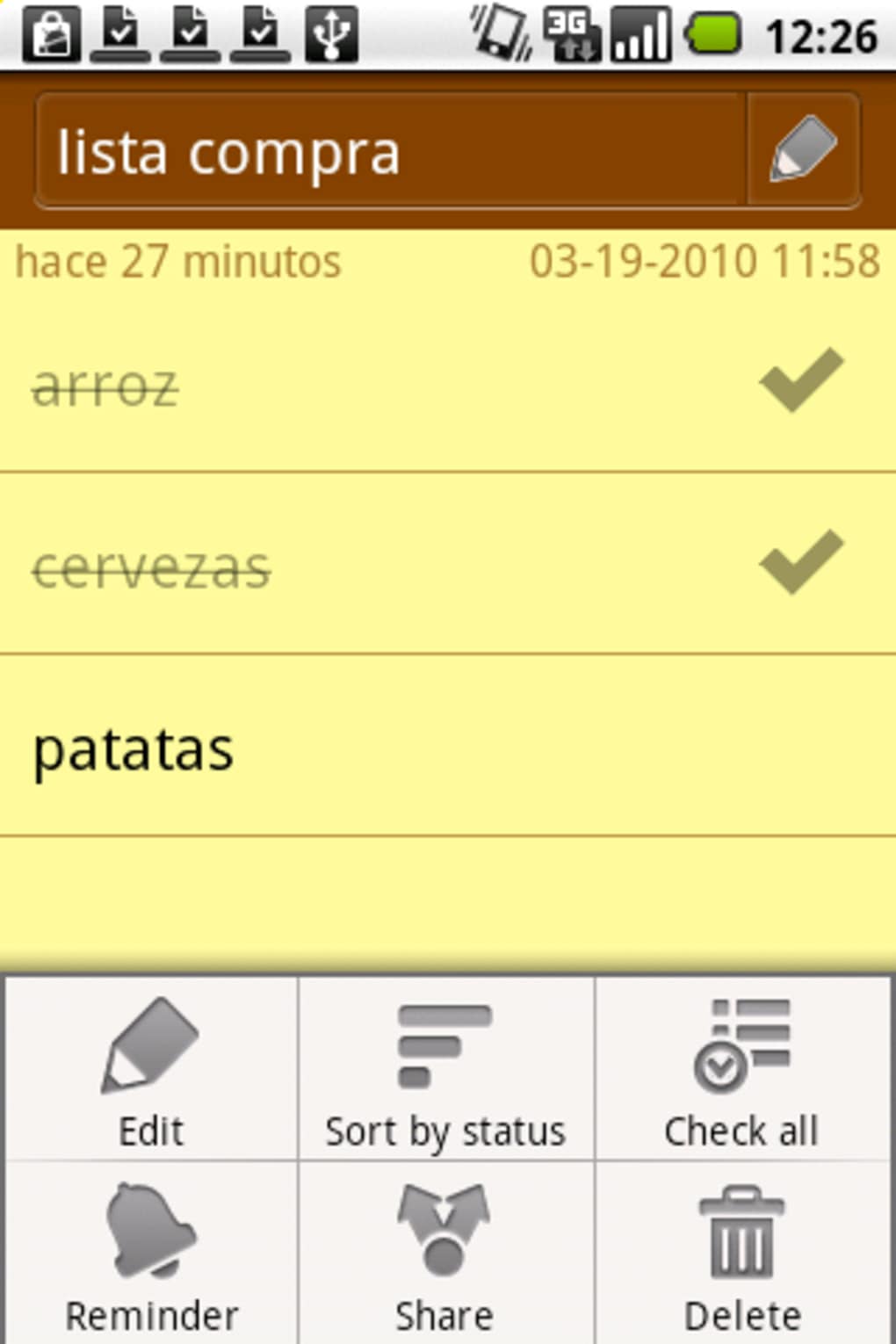
The software supports quick editing, including the ability to check off completed tasks with a single tap or click. Workflow is further streamlined through customizable widgets and reminder triggers. The developer did not specify resource usage details, so performance behavior under heavy usage remains unspecified.
General software behavior patterns suggest stable operation under normal conditions, but exact CPU or RAM consumption was not provided. Stability and responsiveness are expected to be consistent with typical desktop applications of this category.
Compatibility & System Requirements
ColorNote is available for Windows and Mac operating systems, making it accessible to a wide range of desktop users. The current version is 1.5.3, with a file size of 42.7 MB, indicating a lightweight installation footprint. The application supports cross-platform use, extending functionality to Android and iOS devices, though desktop-specific performance details were not provided.
The developer did not specify exact system requirements, including minimum hardware specifications or supported processor types. Compatibility information was partially provided, with no further details on memory, storage, or graphical capabilities. Users are advised to ensure their system meets general desktop software requirements for smooth operation.
Pros and Cons
Pros
- Intuitive, visually appealing interface with color-coded note organization
- Supports offline note-taking with optional sync and backup
- Flexible view modes (grid and list) for personalized navigation
- Integrated reminders and calendar sync for improved task tracking
- Customizable layouts and fonts for user personalization
- Sticky note widget for quick access to urgent tasks
- Compatible with multiple platforms including desktop and mobile
Cons
- Exact system requirements were not listed
- Performance under high load or large note collections not specified
- Resource usage (CPU/RAM) details not provided
- Additional features like voice-to-text require a separate add-on
- Price point may be considered high for a basic note-taking tool
FAQ Section
Is ColorNote compatible with Windows and Mac?
Yes, ColorNote is available for both Windows and Mac operating systems, allowing users to access their notes across desktop platforms.
Can I use ColorNote offline?
Yes, the software supports offline note creation and editing. Sync and backup features are available when connected to the internet.
Does ColorNote support voice-to-text input?
Yes, voice-to-text functionality is available through the optional ColorDict add-on, enhancing input speed and accessibility.
How often are updates released?
The software is regularly updated, with the latest version being 1.5.3 as of the release date on March 15, 2024.
Is the license valid for multiple devices?
While the software is compatible with multiple platforms, the license details and multi-device usage policy were not specified.
Final Thoughts + CTA
ColorNote stands out as a visually engaging and functional productivity tool for users seeking a reliable way to manage tasks and notes across devices. Its color-coded system, customizable interface, and integrated reminder features make it well-suited for professionals, students, and anyone aiming to improve time management. While detailed performance and system requirements were not provided, the lightweight size and cross-platform availability suggest broad accessibility.
The inclusion of offline functionality and optional sync ensures data remains secure and accessible. For those who value organization, visual clarity, and seamless task tracking, ColorNote delivers a compelling solution. Download ColorNote now.





.png)

